
Regional Guides
Best Free Japanese Fonts for Web and Design (2026)
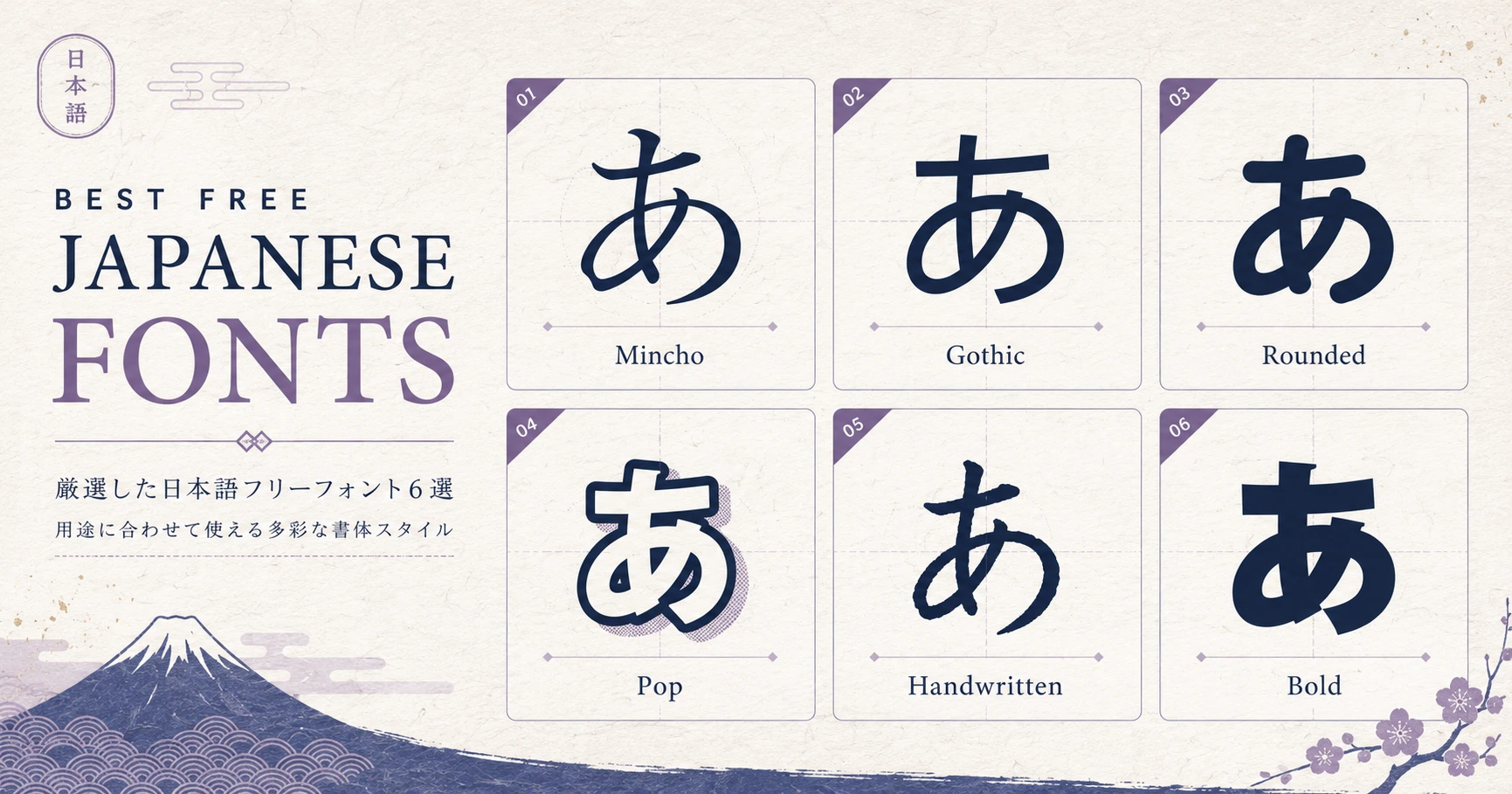
Japanese typography is harder to license than Latin. A typical Japanese font carries 10,000+ glyphs (kanji, hiragana, katakana, half-width Latin, symbols), so the licensing terms matter as much as the design. Here are the best **free with commercial-use** Japanese fonts available in 2026 — including Google Fonts options that load instantly on any site.
What to Know About Japanese Fonts
Japanese fonts split into two main categories: **Mincho** (明朝, serif-equivalent) for body text and formal documents, and **Gothic** (ゴシック, sans-serif-equivalent) for headlines, UI, and modern designs.
There's also a third trend: **rounded/handwritten** fonts (丸ゴシック, 手書き風) which feel friendly and casual — increasingly popular in Japanese UI design and packaging.
Top Free Japanese Fonts (2026)
- 1
Noto Sans JP (Google Fonts)
The de facto Japanese sans-serif on the web. 9 weights, completely free, hosted by Google. Pair with Noto Serif JP for body text. Best starting point for any project.
- 2
Noto Serif JP (Google Fonts)
The Mincho counterpart to Noto Sans JP. Elegant, highly readable in long-form content. Standard for Japanese magazine-style websites.
- 3
M PLUS 1 (Google Fonts)
Modern, geometric sans-serif with personality. 9 weights. Popular for tech startups and casual brands in Japan.
- 4
Zen Maru Gothic (Google Fonts)
Rounded Gothic — softer and friendlier than Noto Sans JP. Great for children's content, food brands, and UI elements that need warmth.
- 5
Mochiy Pop One (Google Fonts)
Bold, chunky, pop-style font. Perfect for headlines, social media graphics, and playful designs. Single weight, very recognizable.
- 6
Klee One (Google Fonts)
Handwritten-style font with a clean, modern feel. Mimics neat school handwriting. Great for educational content and personal blogs.
- 7
Sawarabi Mincho / Sawarabi Gothic
Open-source community fonts (Google Fonts + GitHub). Slightly more traditional feel than Noto. Good for projects where you want a distinct identity.
- 8
BIZ UDPGothic / BIZ UDPMincho (Google Fonts)
Designed by Morisawa specifically for business documents and Universal Design (UD) — optimized for readability across ages and visual abilities.
Browse 4,000+ Free Fonts
Our font library lets you preview Japanese fonts, copy import code for Google Fonts, and compare options side by side. No login required.
Font LibraryHow to Use Google Fonts in Your Project
Most of the fonts above are on Google Fonts. To use one, add this to your HTML head: `<link href="https://fonts.googleapis.com/css2?family=Noto+Sans+JP&display=swap" rel="stylesheet">`. Then in CSS: `font-family: 'Noto Sans JP', sans-serif;`.
For Next.js, use `next/font/google`: `import { Noto_Sans_JP } from 'next/font/google'`. Self-hosted, optimized loading, no FOUT.
Performance tip: Japanese font files are large (often 2-5MB) because of kanji coverage. Use `display=swap` and consider subsetting if you only need specific characters.
Frequently Asked Questions
Why are Japanese fonts so large?
Standard Japanese typography needs ~3,000 commonly-used kanji plus hiragana, katakana, punctuation, half-width Latin, and symbols. Full coverage = 10,000+ glyphs, often 2-5MB per font file. Latin fonts are ~50KB by comparison.
Can I use Korean and Chinese fonts for Japanese?
Partially. Hiragana and katakana are Japanese-only. Common kanji overlap with Chinese characters, but stroke shapes differ between Japanese (新字体) and traditional Chinese (繁體字). Use a font designed for Japanese specifically.
What about Adobe Source Han Sans?
Same family as Noto Sans JP — they share the same source files (Adobe and Google co-developed it). Both are free and SIL-licensed. The two names refer to the same typeface.
Related tools
Do the thing this article describes.